Unity User Manual

Use the Unity Editor to create 2D and 3D games, apps and experiences. (Download the Editor at unity3d.com.) The Unity User Manual helps you learn how to use the Unity Editor and its associated services. You can read it from start to finish, or use it as a reference.
Unity User Manual sections

Comments

Popular posts from this blog

Animation

Unity’s Animation features include retargetable animations, full control of animation weights at runtime, event calling from within the animation playback, sophisticated state machine hierarchies and transitions, blend shapes for facial animations, and much more. Read this section to find out how to import and work with imported animation, and how to animate objects, colours, and any other parameters within Unity itself.     To find out how to import and work with imported animation, and how to animate objects, colours, and any other parameters within Unity. Animation Clips | Controllers | Reference

Unity 2D

This section contains documentation for users developing 2D games in Unity. Note that many areas of the Unity documentation apply to both 2D and 3D development; this section focuses solely on 2D-specific features and functionality. See documentation on 2D and 3D mode settings for information on how to change the 2D/3D mode how the modes differ. See 2D or 3D Projects if you’re not sure whether you should be working in 2D or 3D.

Animation Controllers

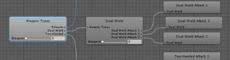
An Animator Controller allows you to arrange and maintain a set of animations for a character or other animated Game Object. The controller has references to the animation clips used within it, and manages the various animation states and the transitions between them using a so-called State Machine, which could be thought of as a kind of flow-chart, or a simple program written in a visual programming language within Unity. The following sections cover the main features that Mecanim provides for controlling and sequencing your animations. W3.CSS Gallery ❮ ❯ Animation Interface Graphics Scripts References